01 / Composer
One Draft for Anything You Need to Save
Start with Markdown, then add the material that belongs with it.
- Text
- Links
- Photos
- Files
- Scans
- Sketches
- Voice
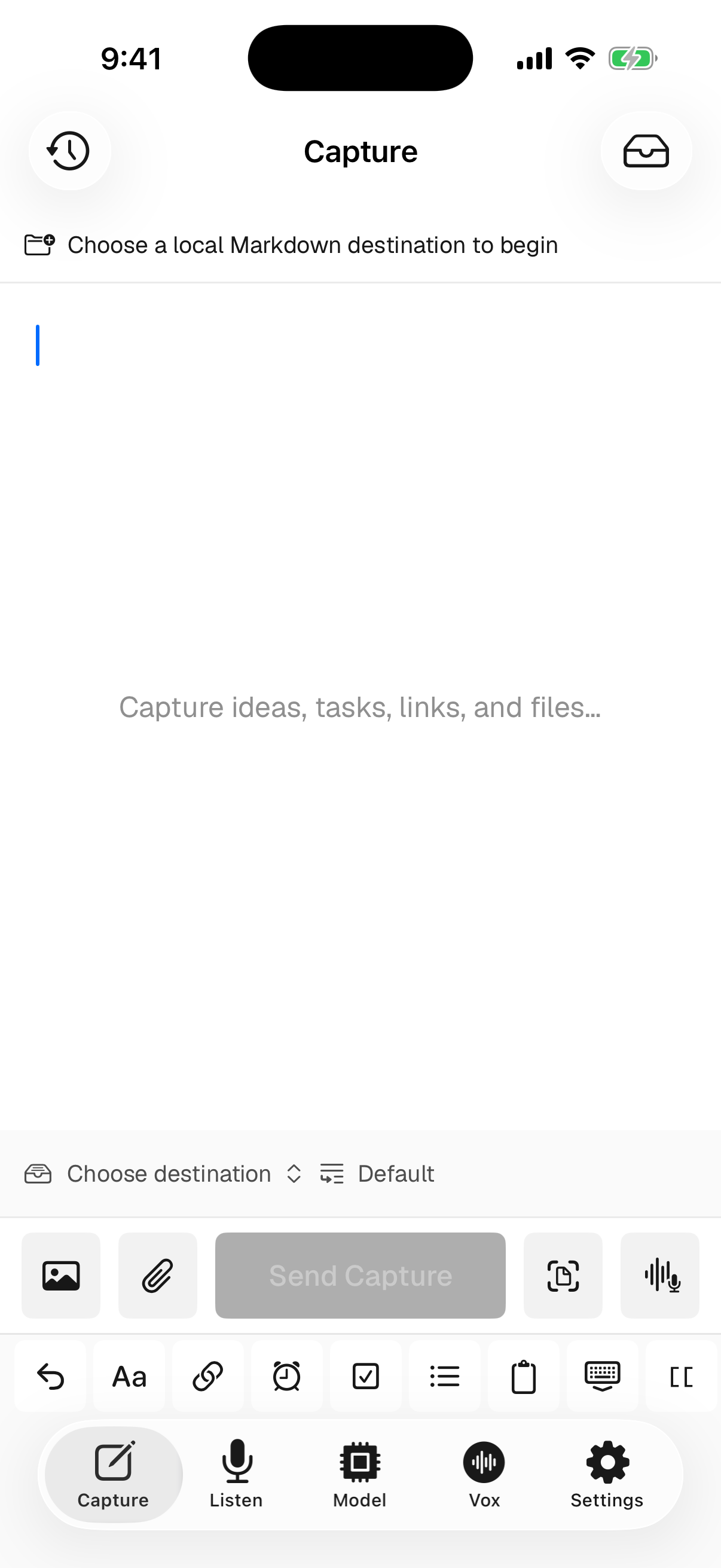
Type a thought, save a link, add a photo or file, scan a document, sketch, or dictate. Vox.md writes clean Markdown into the Obsidian vault or Files folder you choose.
Opening a vault, finding a note, and choosing the right spot is too much work for a fleeting thought. Set the route once, then capture.
Choose an Obsidian vault or any writable folder in Files. Vox.md works with the Markdown files you already own.
Write, paste a link, add media or a file, scan a document, sketch, or record a private voice note.
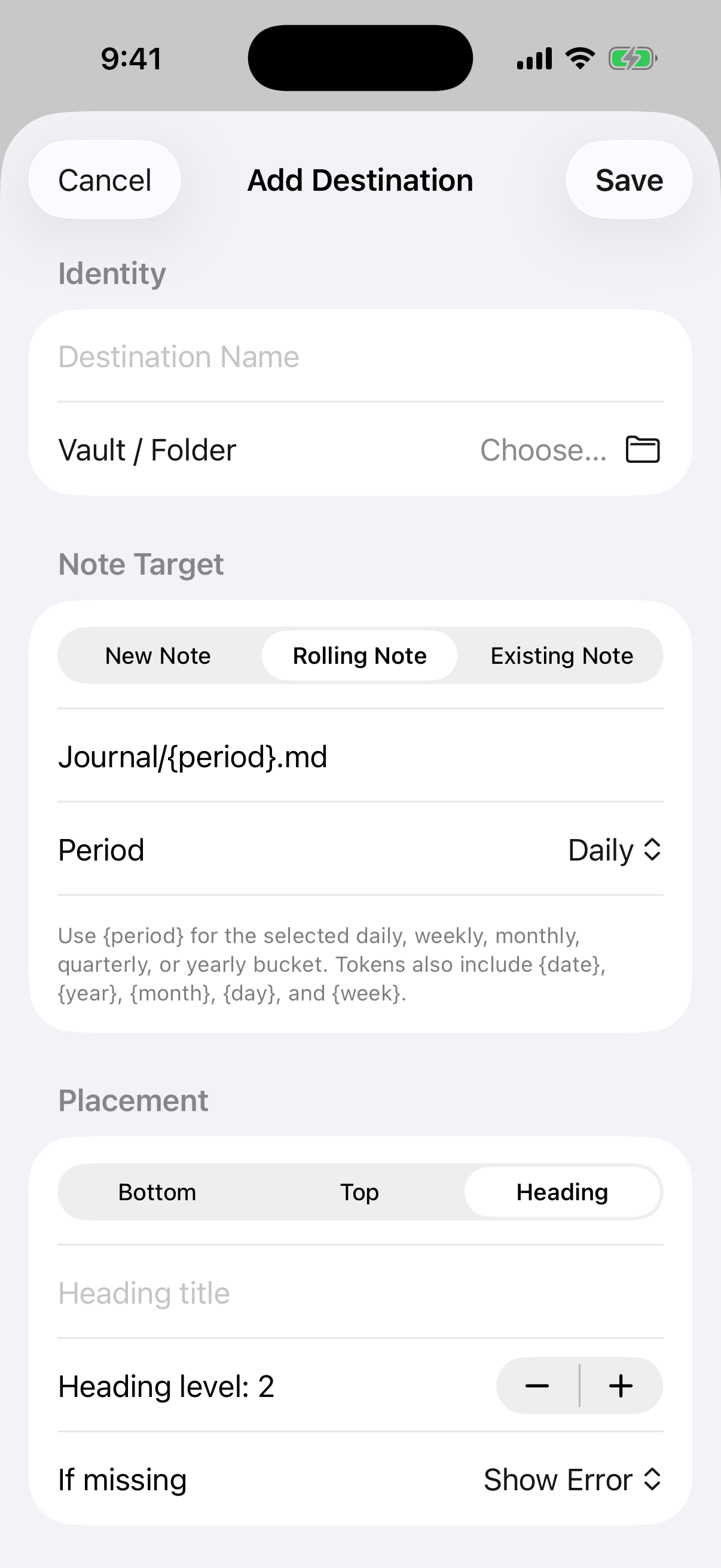
Create a note, update a rolling note, or target an existing one. Place the capture at the top, bottom, or under a heading.
Vox.md treats your notes as files. It writes readable Markdown and Obsidian-style links directly into folders you control.
Choose an Obsidian vault through Files and write to it directly. You do not need a plugin or a Vox.md cloud account.
Insert at the top or bottom of a note, or place the capture beneath a heading that Vox.md can create when needed.
Capture links, photos, files, document scans with extracted text, editable sketches, and voice alongside typed notes.
Route captures into daily, weekly, monthly, quarterly, or yearly notes with predictable filename templates.
Wrap each capture in reusable Markdown or YAML. Add date, time, source, and identifier tokens automatically.
Record from the composer or keyboard. Transcription runs on the device, and Vox.md does not upload the audio.
These are real app screens. Each panel shows where a capture starts, how it is routed, and which local tools are available when you need them.
Start with Markdown, then add the material that belongs with it.
New, rolling, or existing note. Bottom, top, or beneath a heading.
Use the keyboard in any text field, or send content through widgets, Shortcuts, and the share sheet.

Record a voice capture, transcribe it on the device, and send the result through the same Markdown routes.


Keep local history for recovery and review, choose speech models, and control privacy-sensitive settings yourself.


A Capture Preset remembers how to process and format a capture, plus the vault, note target, placement, attachments, retry behavior, and optional one-shot Current Location. Template links and metadata output are separate choices.
Journal/2026-07-17.md
## TasksCapture drafts, attachments, note paths, templates, typed text, transcripts, and opted-in location are not collected by Vox.md servers or analytics. Files go only to the destination you choose, voice transcription runs on your device, and location is never tracked continuously or in the background.
Vox.md works directly with Markdown folders you choose. Obsidian is a natural fit, but it is not required.
Yes. Create a Capture Preset and choose your Obsidian vault as its destination. Vox.md writes standard Markdown, wikilinks, and attachment embeds directly into the vault. It does not require an Obsidian plugin.
The composer accepts text, web links, photos, files, document scans, sketches, and voice. Scans can include extracted text, and voice can be transcribed locally.
Each Capture Preset owns a destination that can create a new note, update a rolling daily or periodic note, or write to an existing Markdown file. A single capture can temporarily choose another note without changing the preset.
Yes. A route can prepend, append, or insert beneath a heading from level one through six. You can choose whether a missing heading should stop delivery or be created automatically.
Yes. A Capture Preset can use any writable folder exposed through Files. The output is plain Markdown with ordinary attachments, so the notes are not locked to Vox.md.
No capture content is sent to Vox.md servers. Drafts and voice processing stay on the device, while completed files are written to the folder you selected. If that folder belongs to a sync provider, the provider handles it under its own terms.
Yes. Turn on Use Current Location for that Capture Preset, keep Write Location Metadata off, and add {location} to its entry formatting. Vox.md inserts a one-shot map link without adding frontmatter or inline location fields. Read the complete location guide.
Yes. Vox.md includes widgets, Shortcuts actions, a share extension, and a voice keyboard. These entry points feed the same local capture system.
Vox.md is a free download from the App Store. Check the App Store listing for the current purchase options shown by Apple.
Connect a vault or local folder once. The next idea can go straight to the note, heading, and format you chose.
Download Vox.md Free download · no account required